English translation
DeepSeek-V4 with a Layout-Preserving Translation Agent Is Surprisingly Practical
Hi, I am Guozhen.
Translation itself is no longer difficult. But preserving layout, keeping the translated document close to the original structure, and running the workflow on your own computer is much harder.
This article shares a practical solution.
1. Result demo
In the screenshot below, the left side is a page from an English paper, and the right side is the Chinese translation. The original layout is preserved:
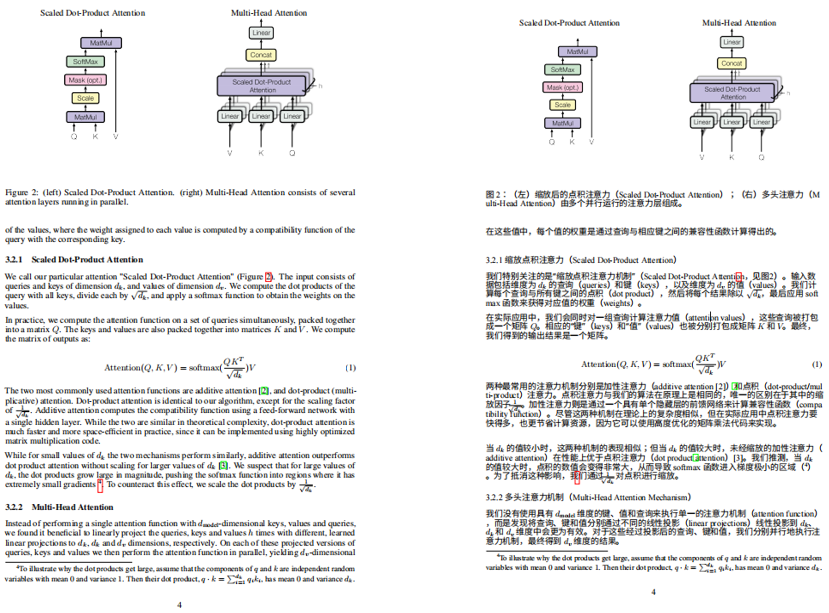
Even formulas are mostly aligned. The result is quite good.
This layout-preserving translation agent was developed by our team. It runs directly on your own computer and supports batch file translation.
Install DeepSeekMine first, then use the built-in translation agent that preserves the document layout.
2. Install DeepSeekMine
DeepSeekMine is a local knowledge-base AI tool that understands your files. It can automatically learn tens of thousands of files on your computer, supports more than 30 formats, and works out of the box.
The translation agent is included in the latest DeepSeekMine version.
First, download DeepSeekMine V3.0.0, the latest version we released:
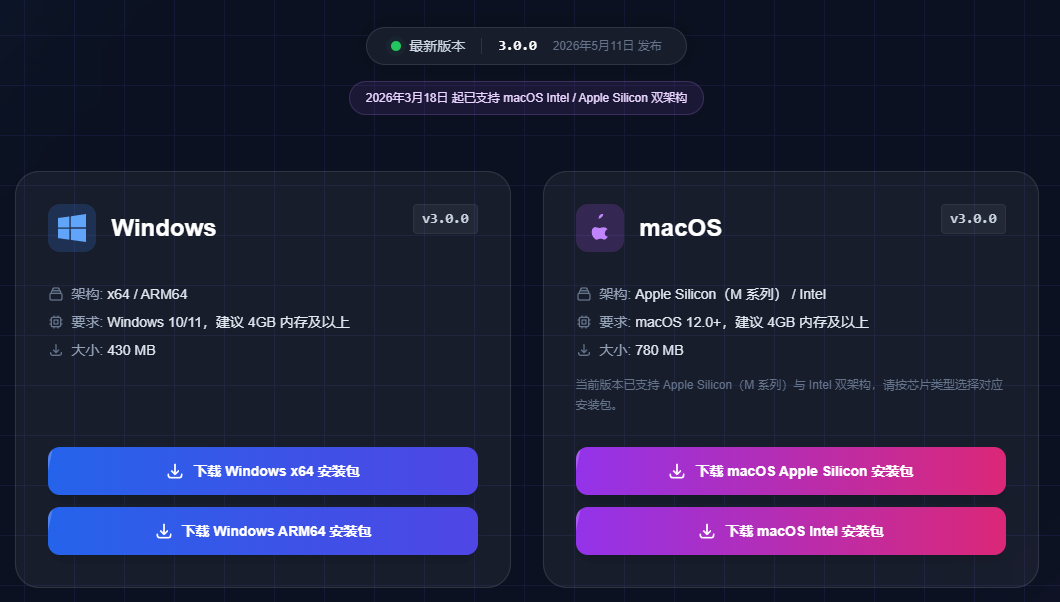
Website:
https://deepseekmine.com/download
After downloading, open the software and enter the home page:
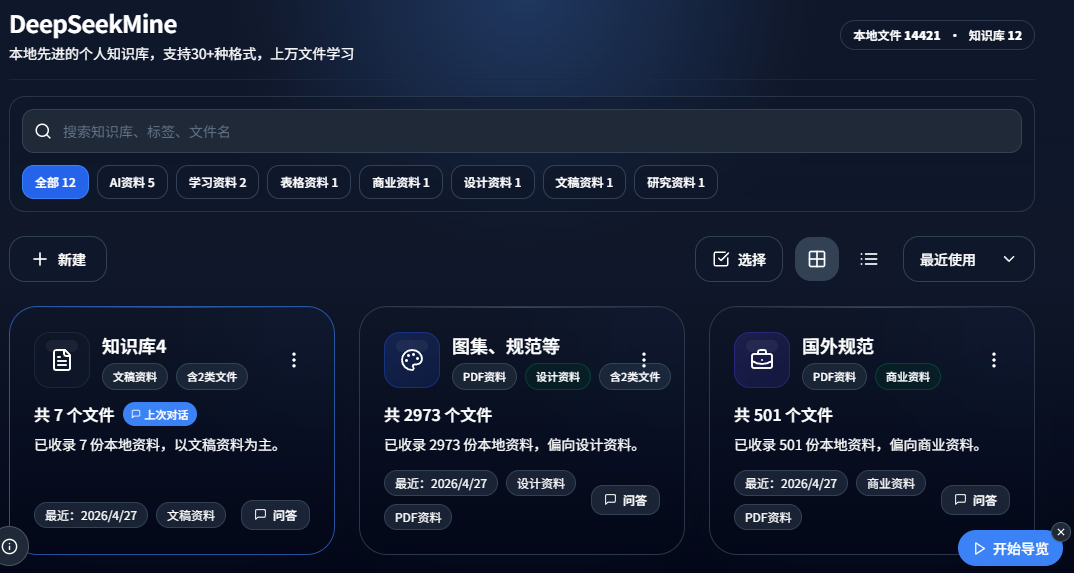
I have already imported more than 14,000 files from my computer into this knowledge base. It has become my second brain for office work and side projects:
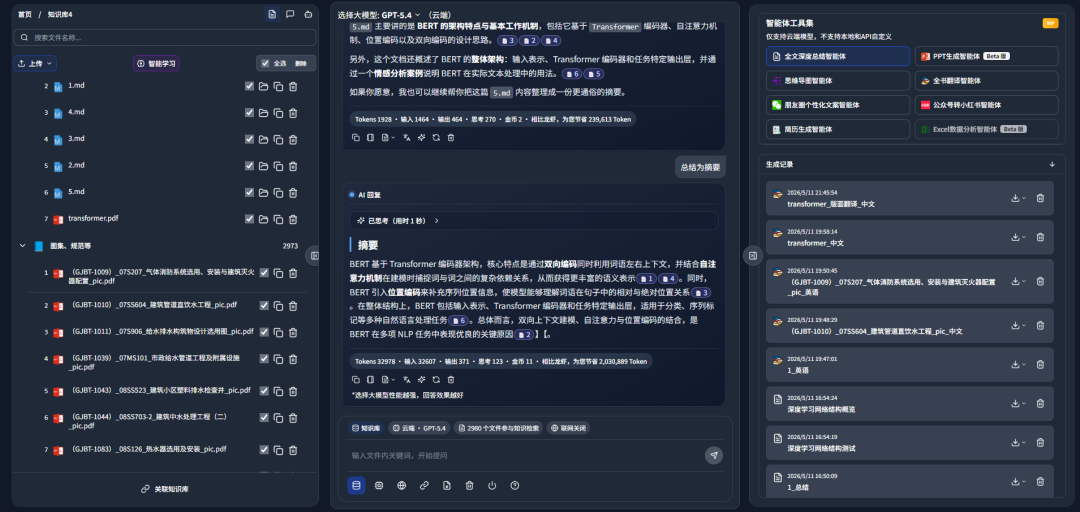
It supports cross-knowledge-base retrieval:
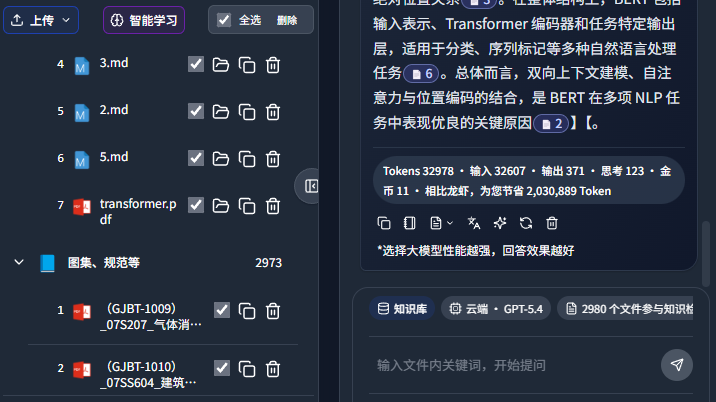
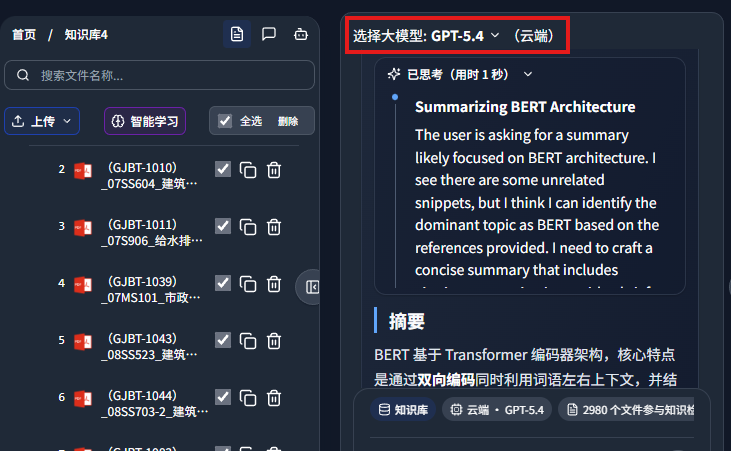
It also includes powerful domestic and international models. In the screenshot below, GPT-5.4 acts as the knowledge-base brain:
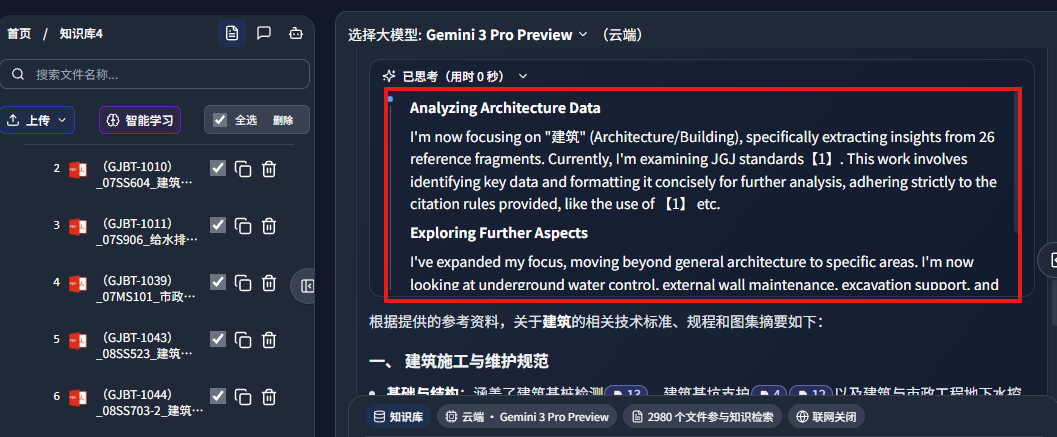
Below is the thinking process from Gemini-3-Pro:
Answers include references to your documents:
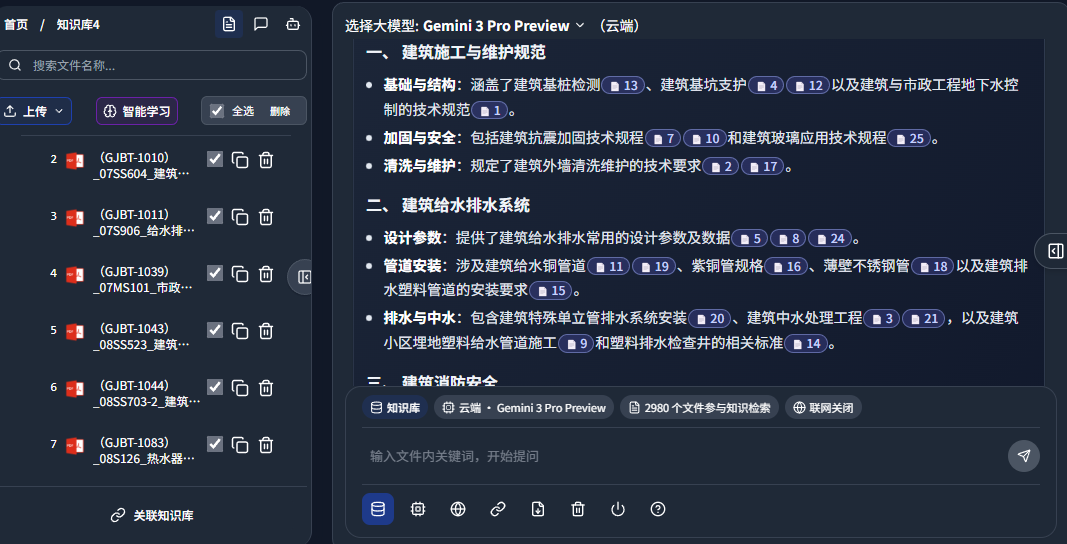
Clicking the reference can jump directly to the source location in your document:
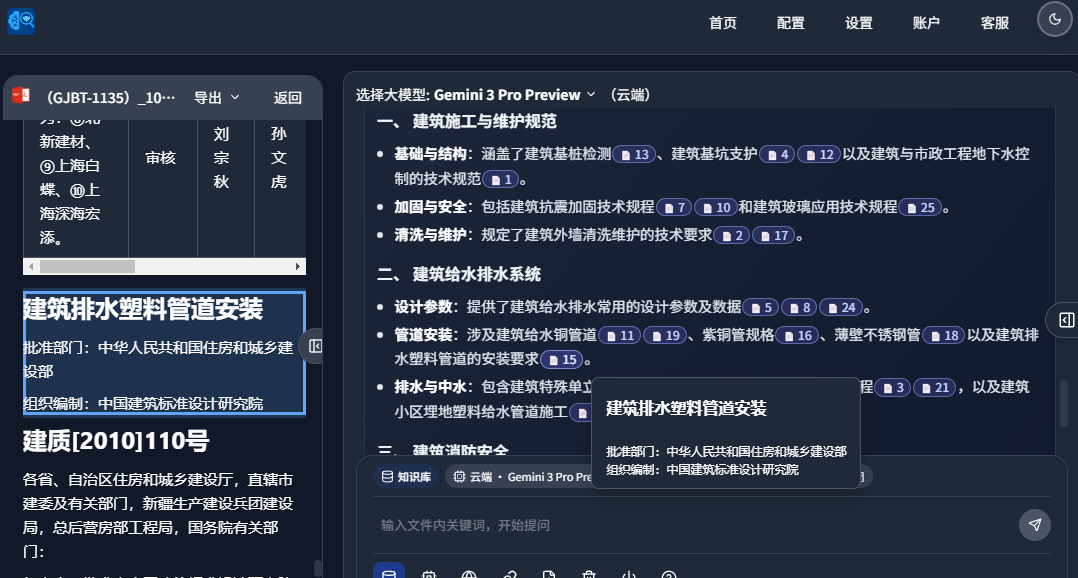
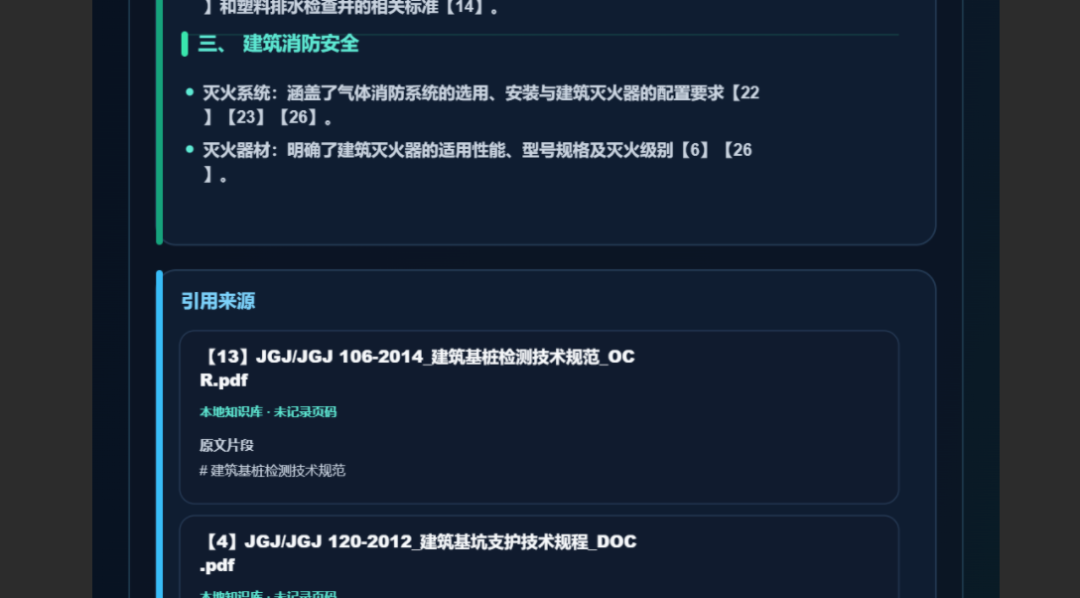
It also supports one-click export of posters with reference sources, making it easy to share results with colleagues:
3. Use the translation agent
The right-side panel contains multiple built-in agents:

Click the full-book translation agent, then click the arrow shown below:
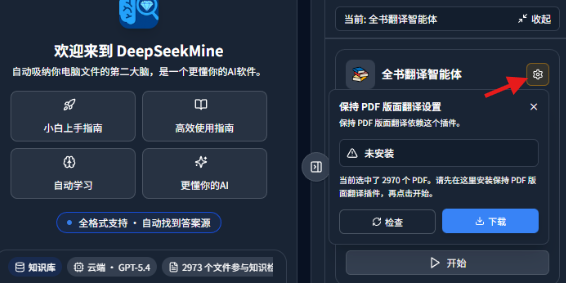
Important: remember to install the plugin.
After the plugin is installed, it looks like this:
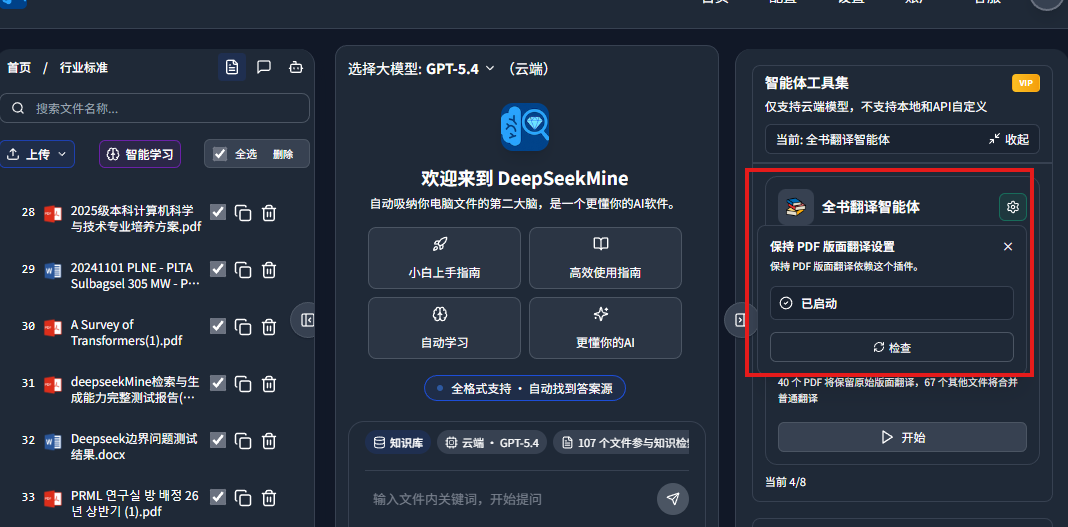
In your knowledge base, select the file you want to translate. Then click translate. The screenshot below shows translation progress at 43%:
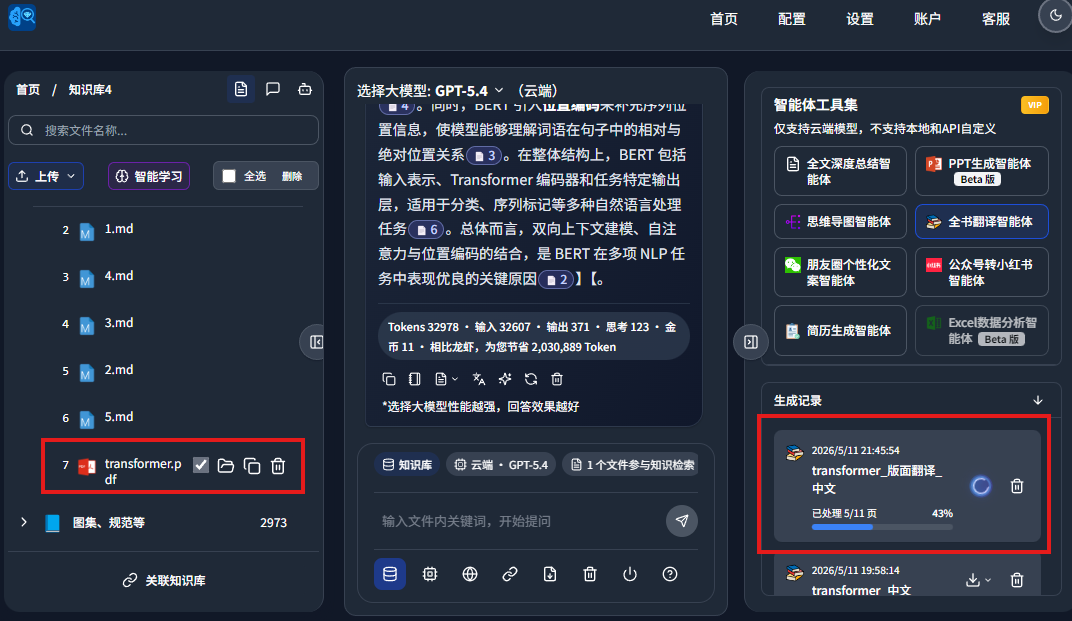
After a while, the English paper was translated with layout preserved:
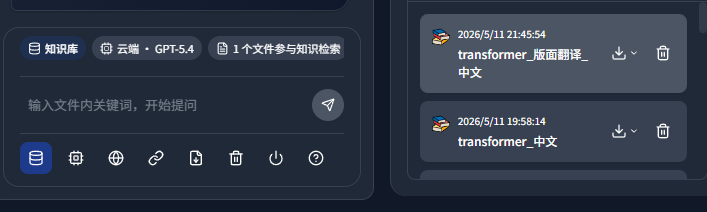
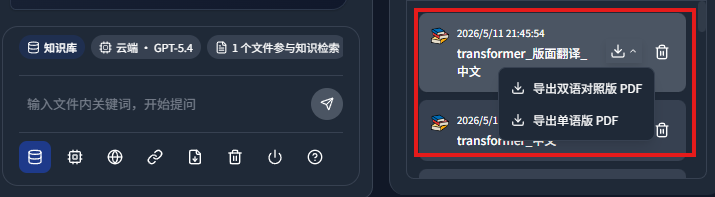
The translation supports export as bilingual PDF or monolingual PDF:
This is the monolingual PDF:
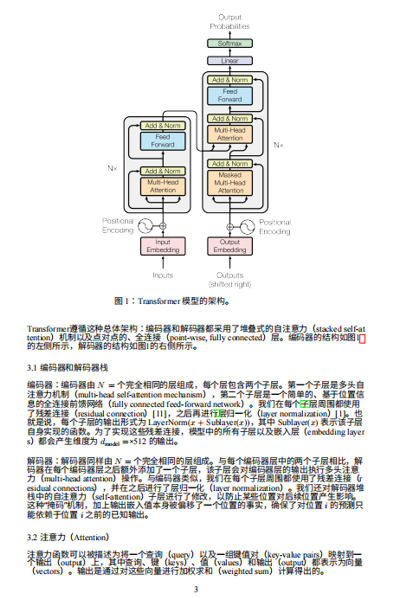
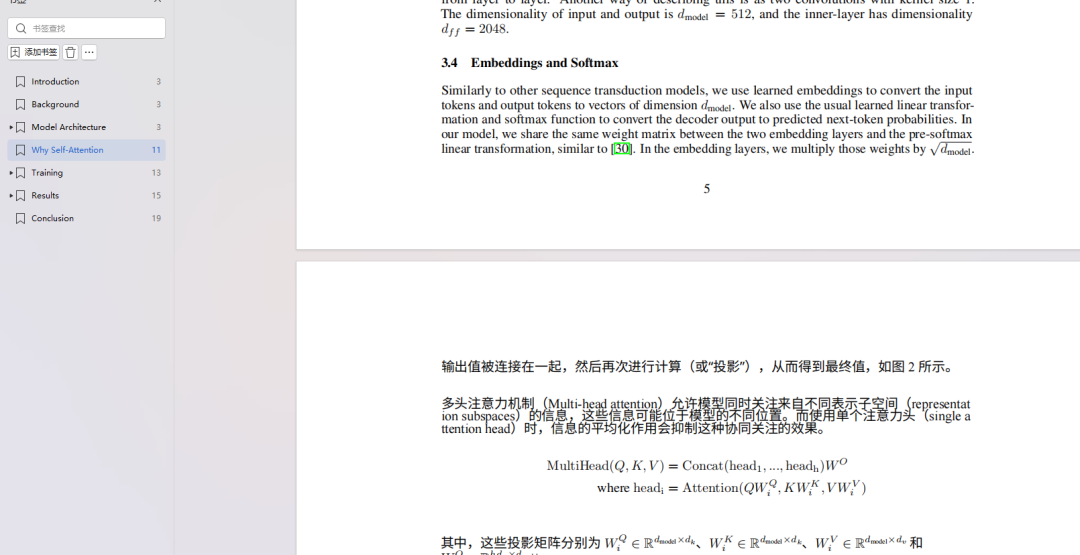
The bilingual PDF preserves formulas well:
Final thoughts
Ordinary translation is no longer hard. The real value is preserving the original layout, formulas, and structure as much as possible after translation.
The full-book translation agent built into the latest DeepSeekMine can run directly on your own computer, supports batch file translation, and exports both monolingual PDFs and bilingual comparison PDFs.
For people who often process English papers, technical documents, textbooks, and research materials, this connects translation, layout preservation, and export into one workflow, reducing document-processing cost significantly.
This English edition preserves the screenshots and workflow order from the original Chinese article.