English translation
I Finally Found Free Tokens for MyClaw: Qwen3.6-35B Works Directly (Tutorial)
Hi, I am Guozhen.
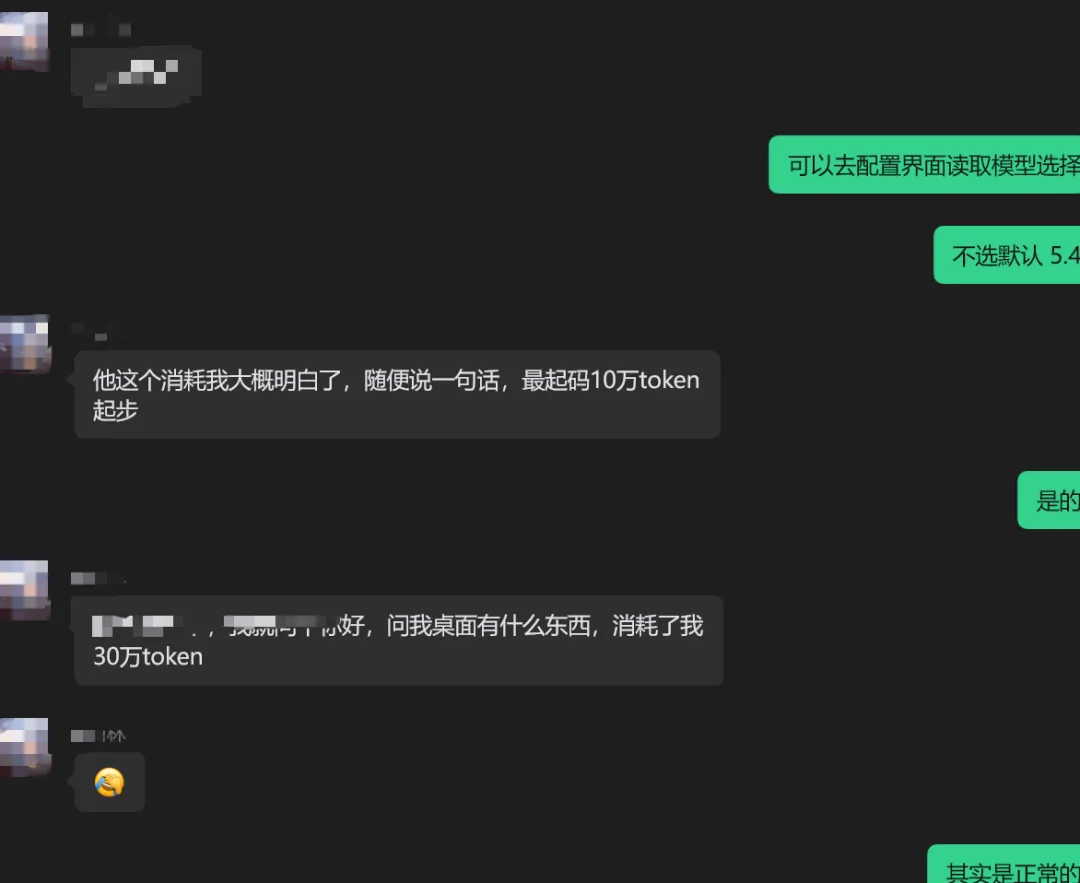
A lot of readers have told me the same thing: running MyClaw-style agent work burns tokens very quickly.
Say one sentence and 100,000 tokens may disappear.
Ask it what is on your computer desktop and 300,000 tokens may be gone:
But giving up this kind of local agent workflow just because it costs tokens would be a shame.
I have been using this "claw" workflow for nearly three months. For example, it can look at Excel files on my computer and directly create visual analysis:
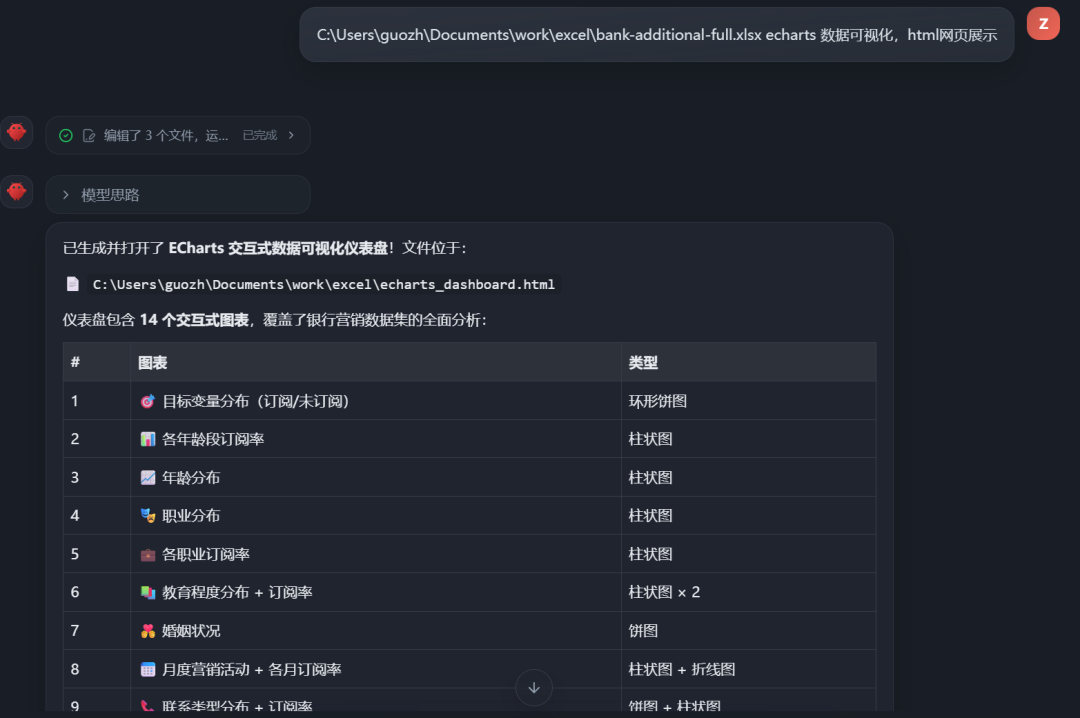
Within seconds, it sends back a data overview, charts, and a full chain of visual results:
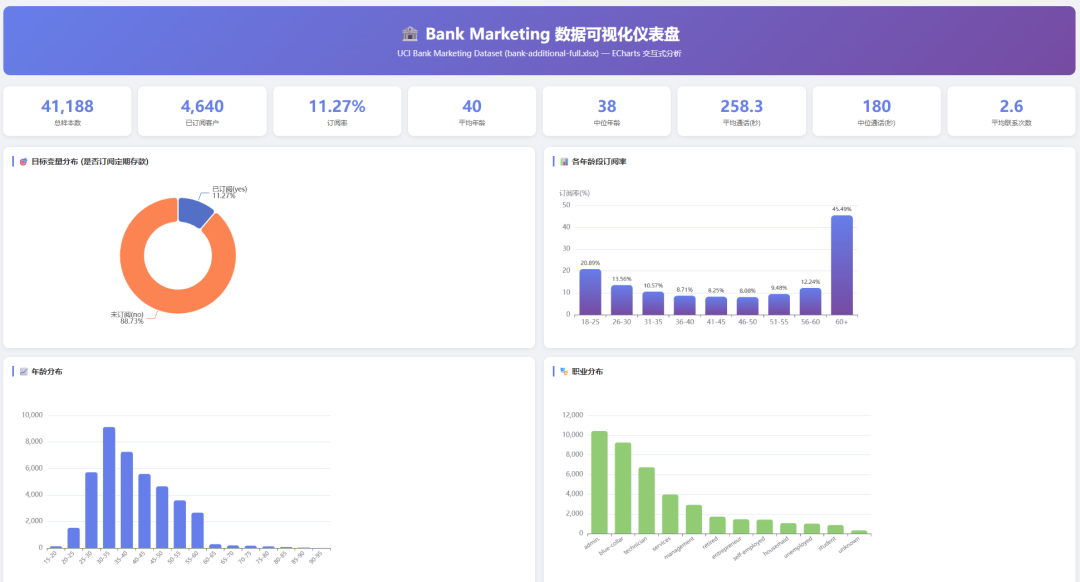
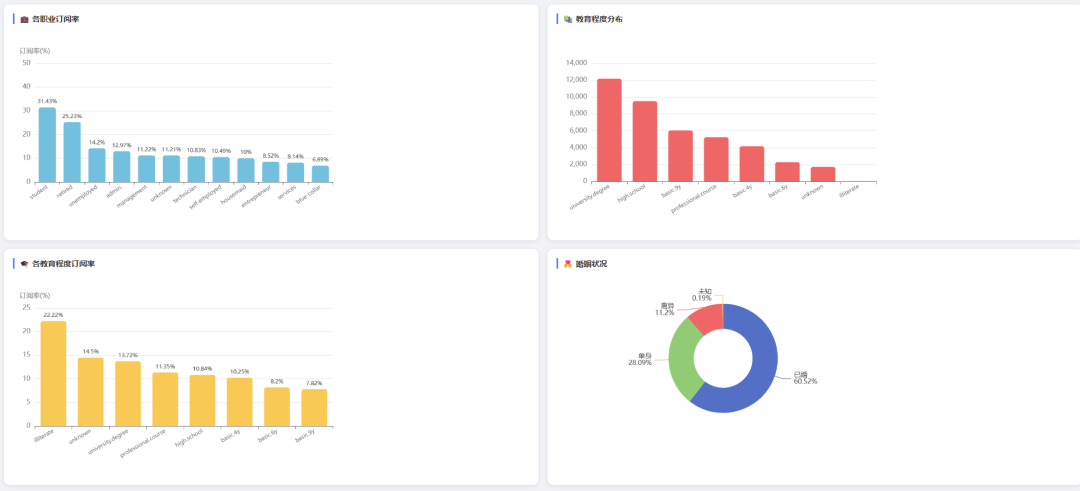
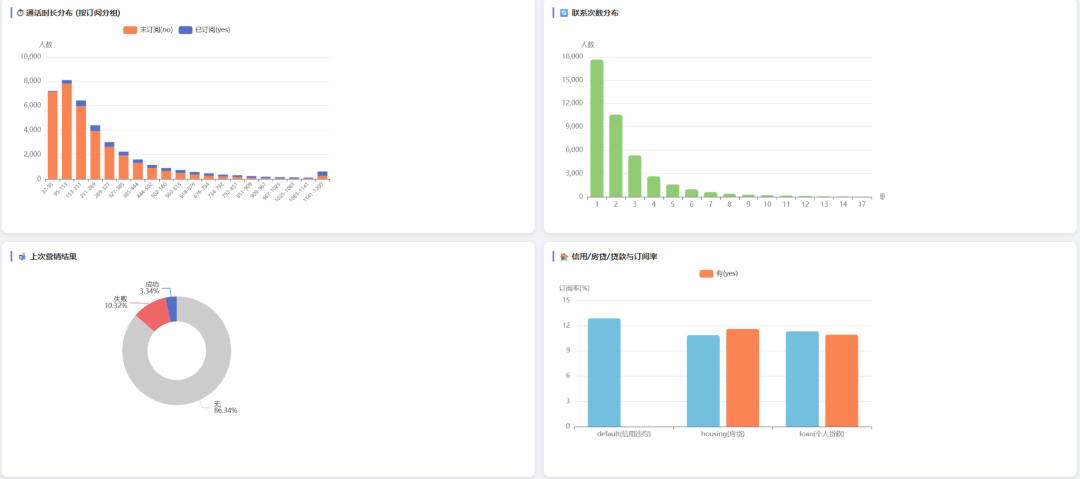
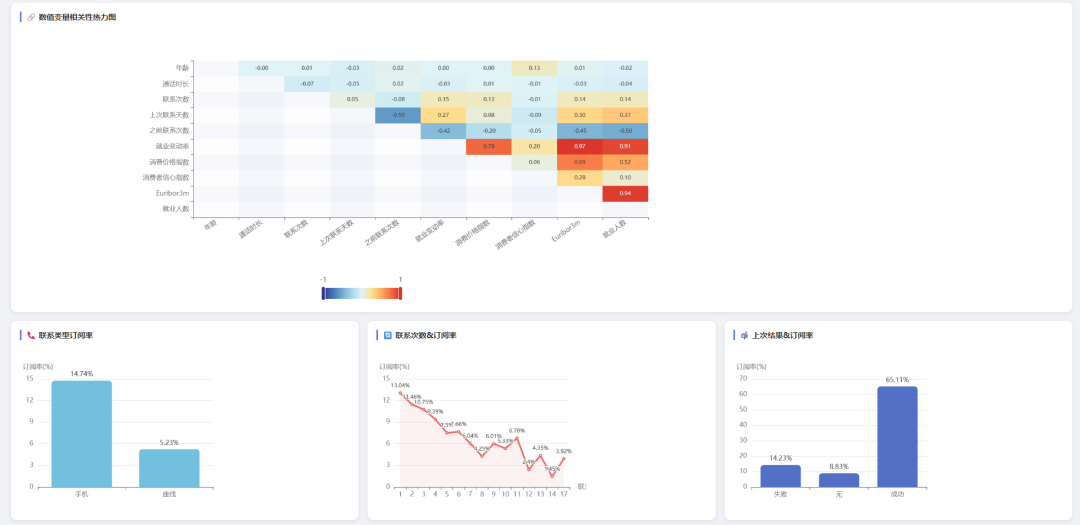
To be honest, without this local agent workflow, you might have to go back and forth with a web chatbot for an hour and still not get these charts.
So the agent is worth using. The real question is: how do we keep using it without buying more tokens?
Over the weekend I found a useful option. iFlytek SparkDesk MaaS has built-in access to compact but capable Qwen models such as Qwen-3.6-35B, and they can be connected to MyClaw for free during the current promotion.
I tested it immediately and wrote down the setup below.
1. Qwen-3.6-35B
The platform I found this weekend is iFlytek SparkDesk MaaS. Recently it has been promoting the Qwen model family:
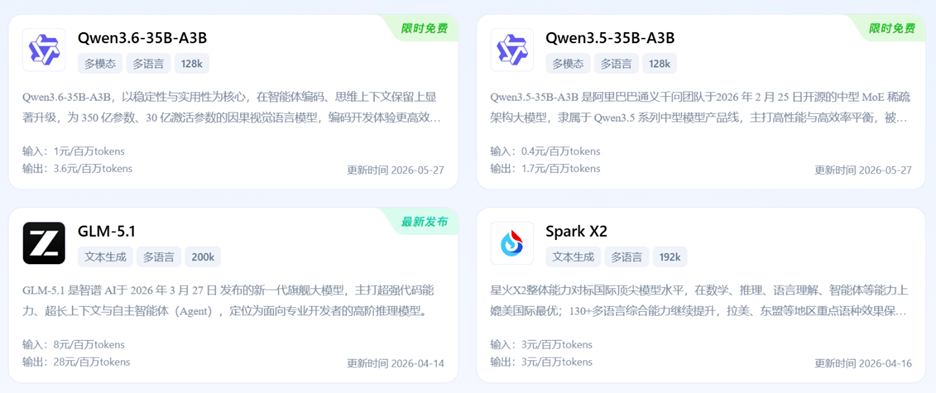
The surprising part is that medium-size models such as Qwen-3.5-35B and Qwen-3.6-35B are currently free to use.
Both models are free until June 30. After 10:00 on July 1, they move to postpaid billing.
The smaller 1.7B and 2B models can keep being used for free:
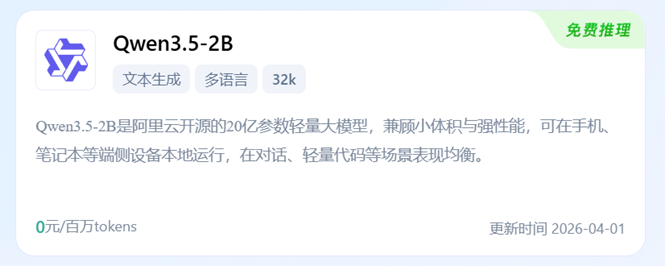
Do not underestimate Qwen-3.6-35B just because it is a mid-size model. Its performance can exceed earlier dense models:
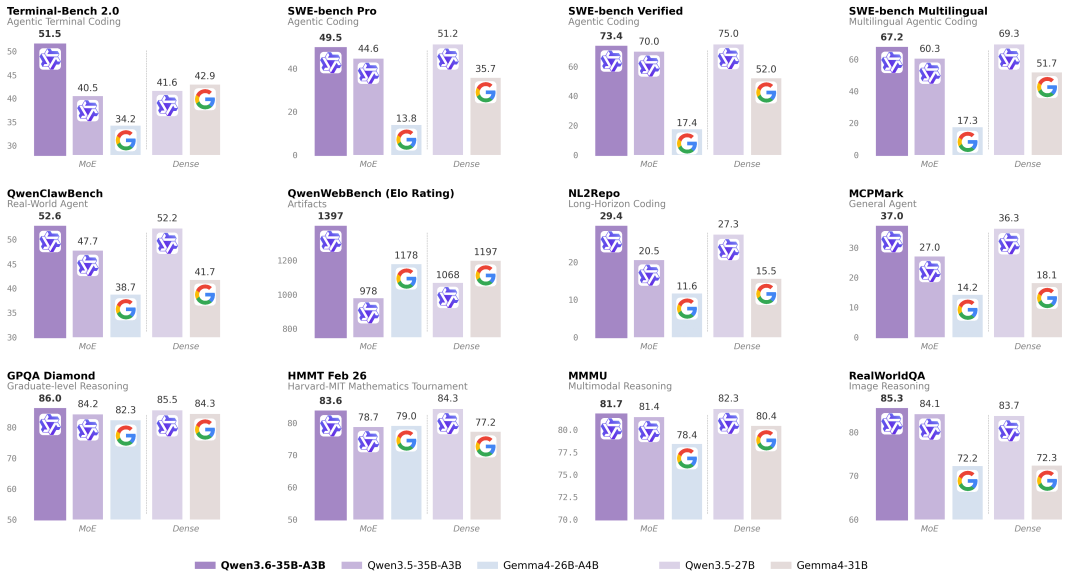
For agent-style coding, Qwen-3.6-35B is one of the strongest choices in its size class.
That makes it especially suitable for individual users running MyClaw.
2. Connect it to MyClaw
Step one: get the local MyClaw package here:
deeplocals.com/myclaw
The installation is simple. The required dependencies are already bundled:
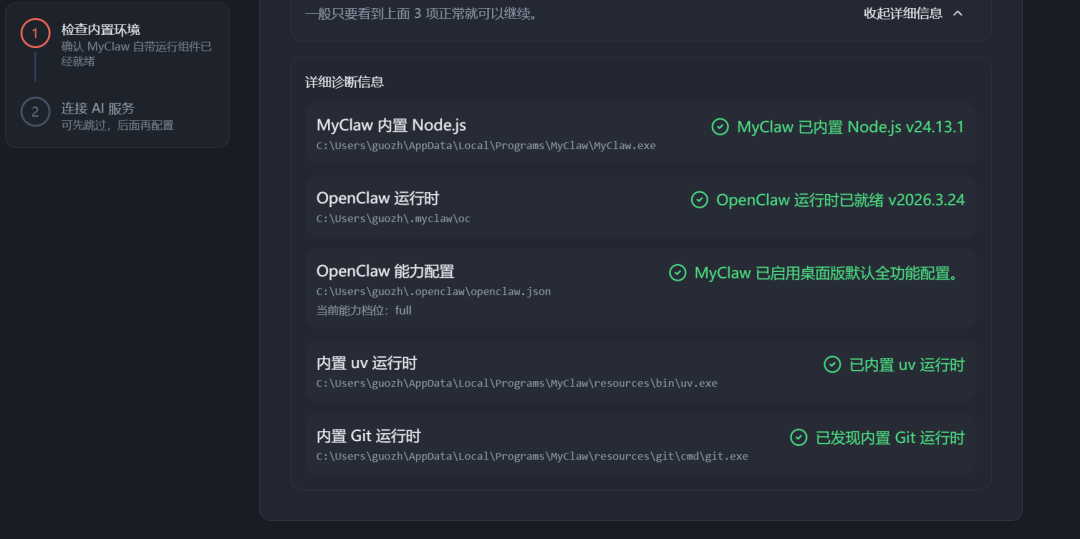
After installing it, you can start using it directly:
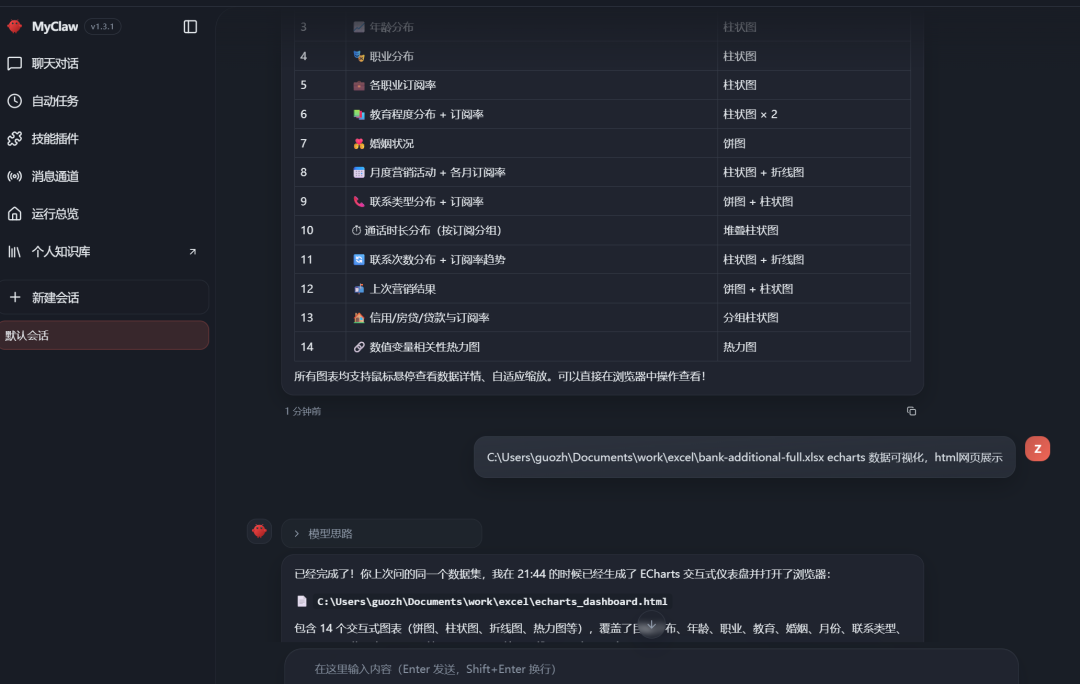
Step two: open the iFlytek SparkDesk MaaS model platform:
https://maas.xfyun.cn/modelSquare?ch=MaaS-xbkol-gz
You should be able to see the Qwen3.6-35B model. Click the API call button:
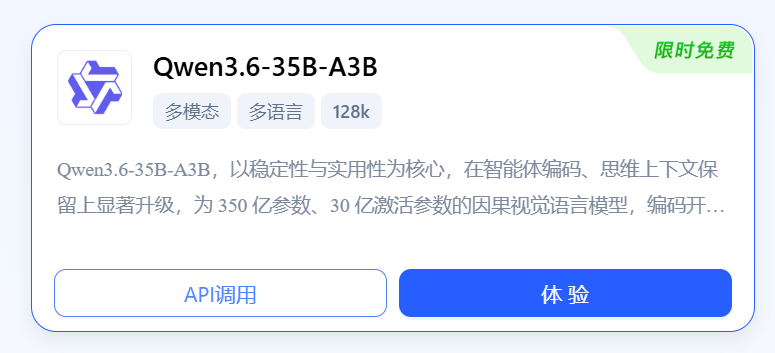
Copy the API endpoint and API key:
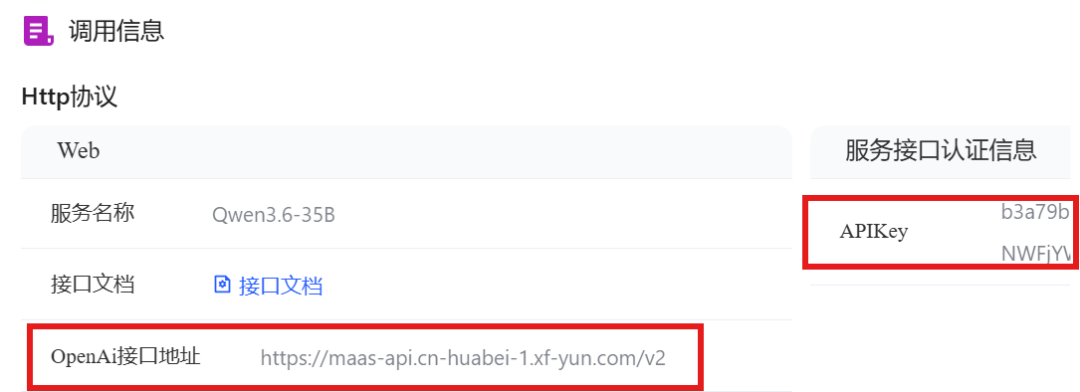
Use the following code to test whether the connection works:
import requests

API_KEY = "YOUR_API_KEY_HERE"
BASE_URL = "https://maas-api.cn-huabei-1.xf-yun.com/v2"
MODEL = "xopqwen36v35b"

url = f"{BASE_URL}/chat/completions"

headers = {
    "Authorization": f"Bearer {API_KEY}",
    "Content-Type": "application/json",
}

payload = {
    "model": MODEL,
    "messages": [
        {
            "role": "user",
            "content": "Reply with exactly: MODEL_OK"
        }
    ],
    "temperature": 0,
    "max_tokens": 20,
}

response = requests.post(url, headers=headers, json=payload, timeout=30)

print("HTTP Status:", response.status_code)
print(response.text)

response.raise_for_status()

data = response.json()
print("Model:", data.get("model"))
print("Reply:", data["choices"][0]["message"]["content"])
print("Usage:", data.get("usage"))
The call succeeded. In this test, the input used 33 tokens and the output used 7:
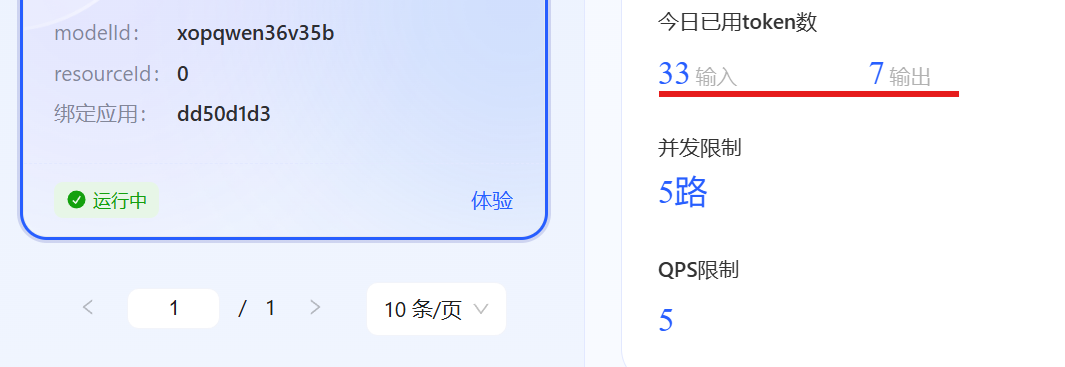
The web interface also confirms that the model is available:
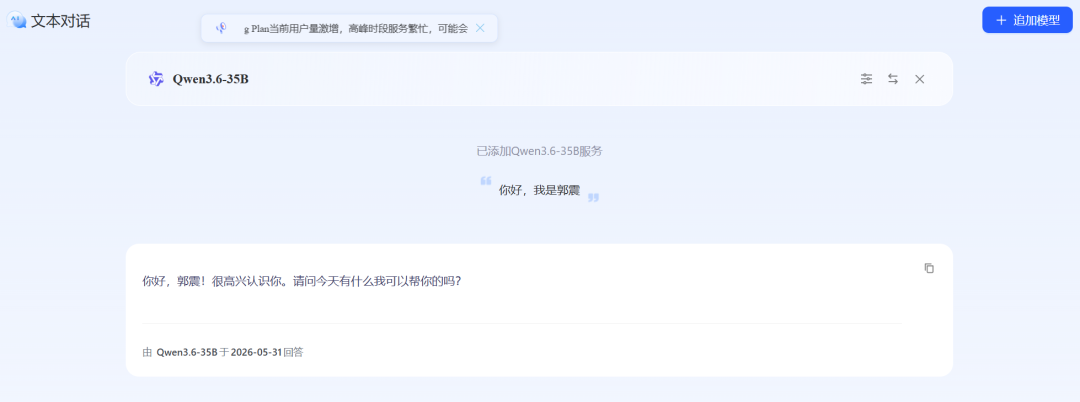
Step three: configure it inside MyClaw. Fill in the endpoint and API key you copied above:
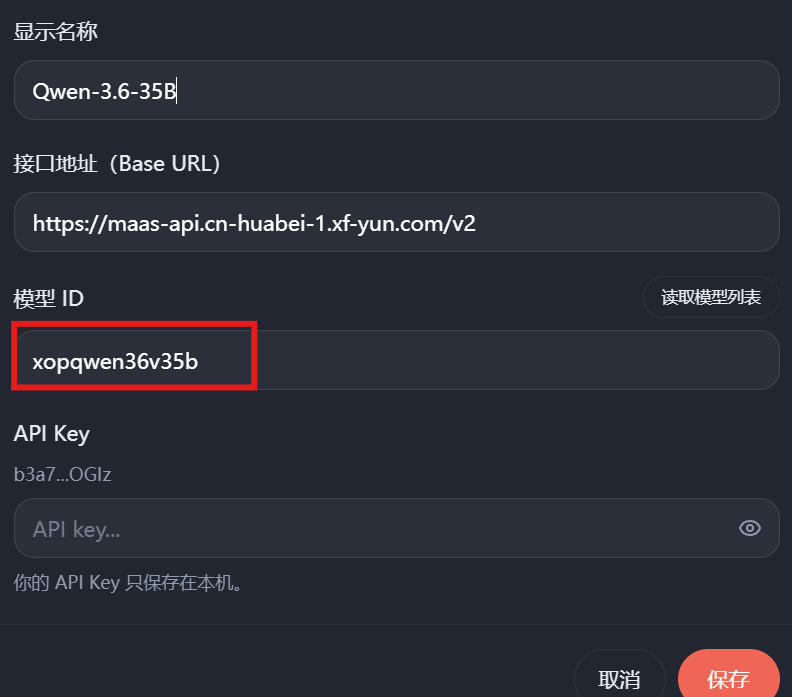
There is one small pitfall. The first time I wrote the model ID as Qwen-3.6-35B, which is wrong.
The actual model ID is:
xopqwen36v35b
You can also see this ID in the screenshots above.
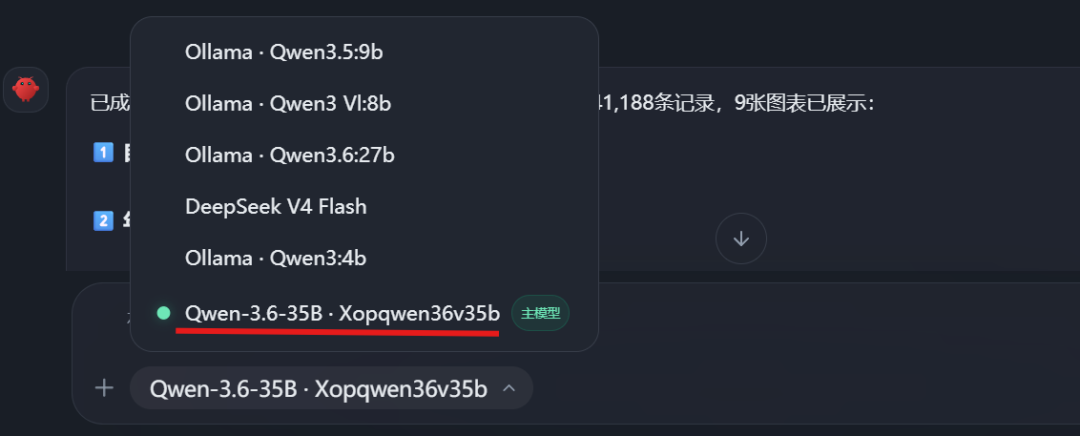
After configuration, Qwen-3.6-35B appears in MyClaw:
3. Testing Qwen3.6-35B
Test one: I gave it a messy directory requirement and asked it to generate a styled HTML file-tree view.
Here is the prompt:
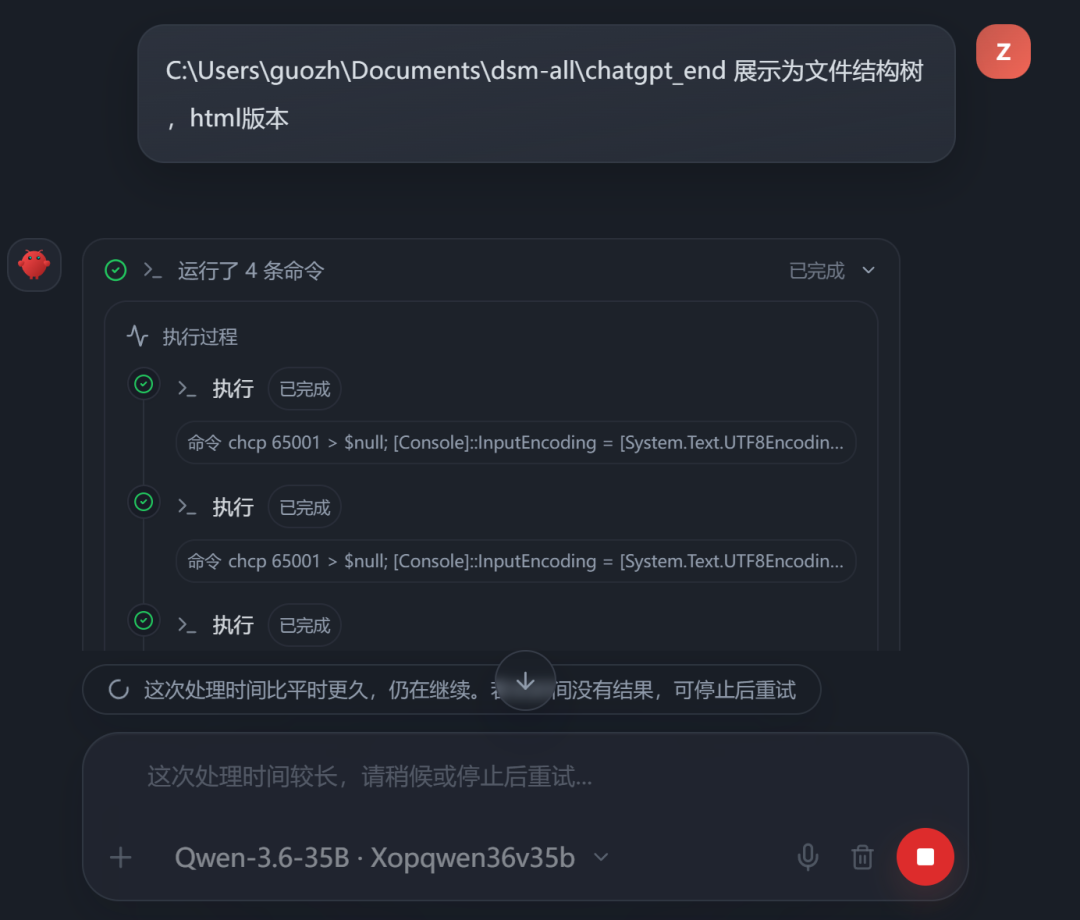
After a short wait, it finished generating:
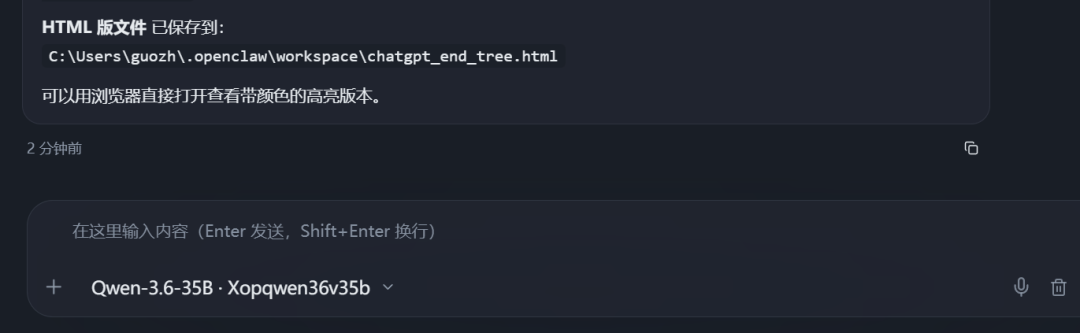
Opening the result:
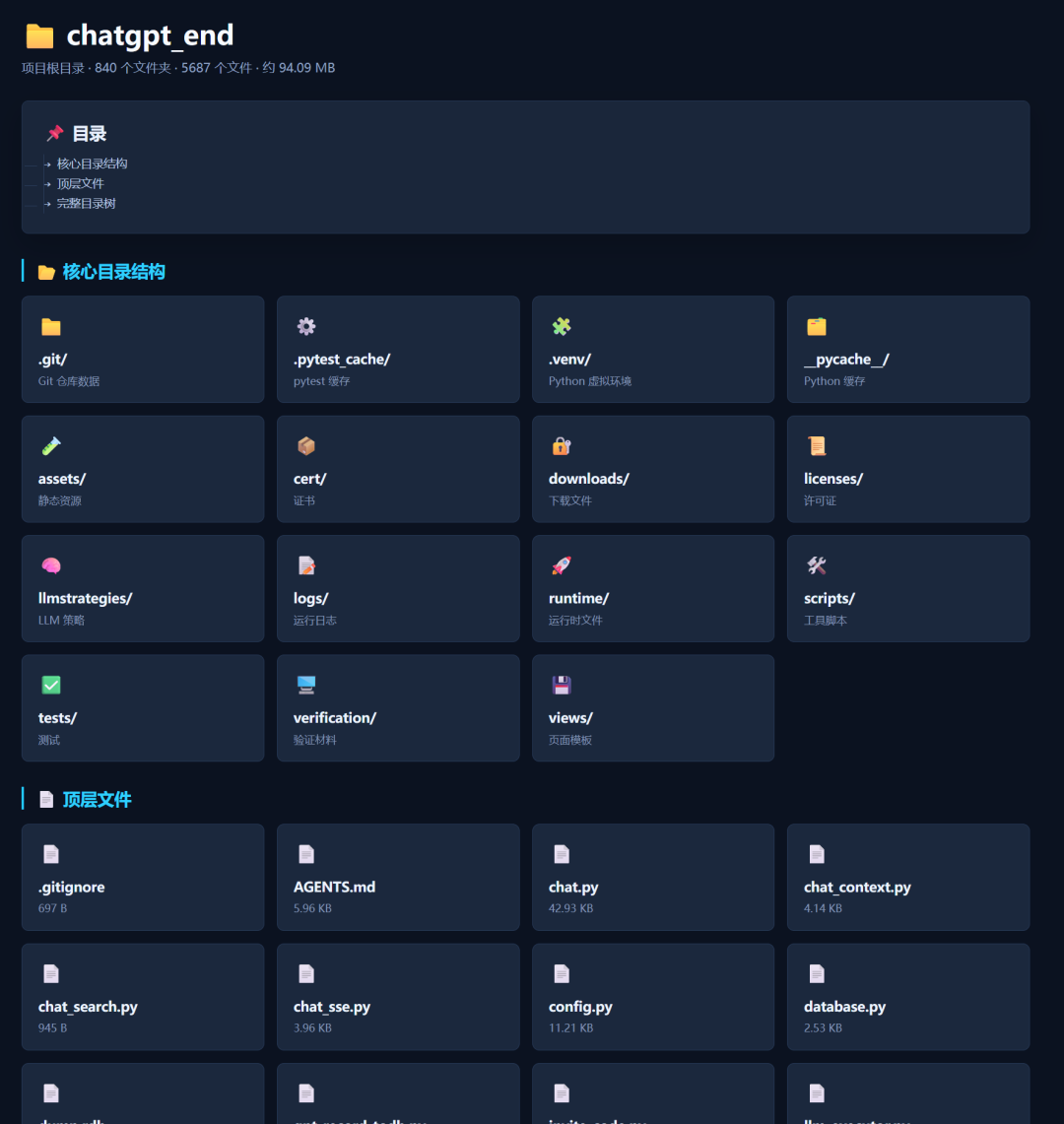
The page displays the core directory structure, top-level files, and important modules clearly in one HTML view.
It turns a complicated project folder into a readable, browsable, presentation-ready structure. Someone else can understand the project at a glance.
Test two: I gave it raw data and asked it to create a visual data-analysis dashboard in HTML.
The prompt was:
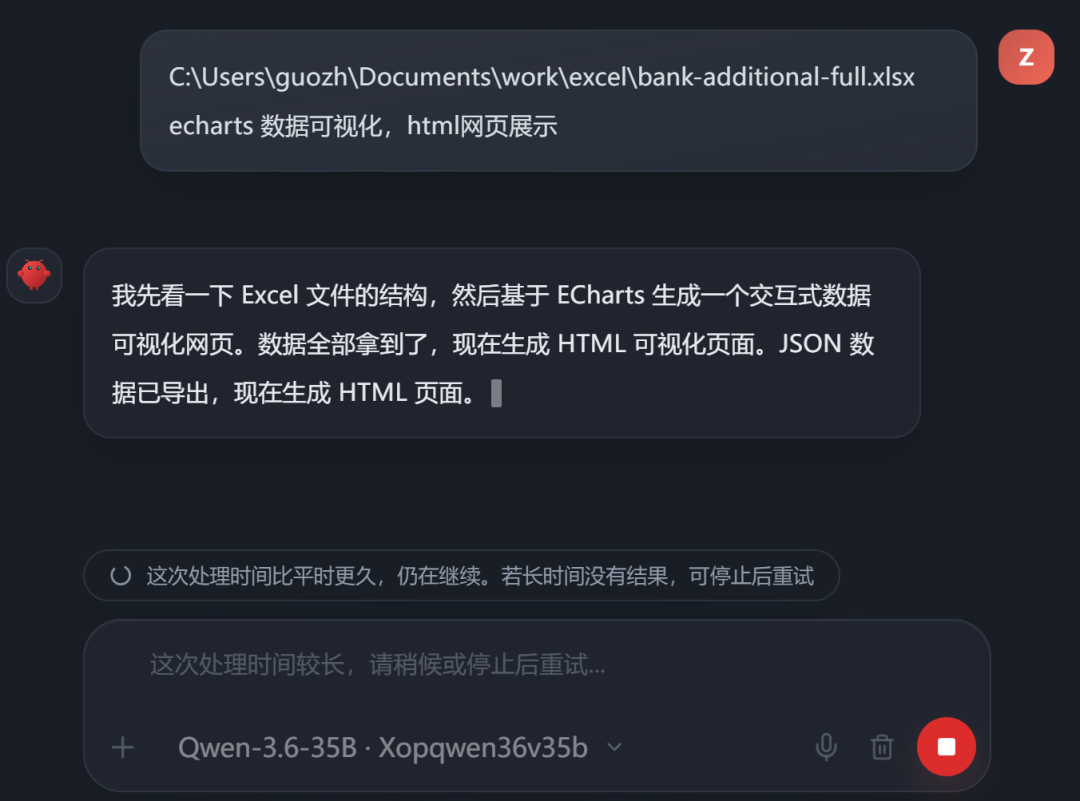
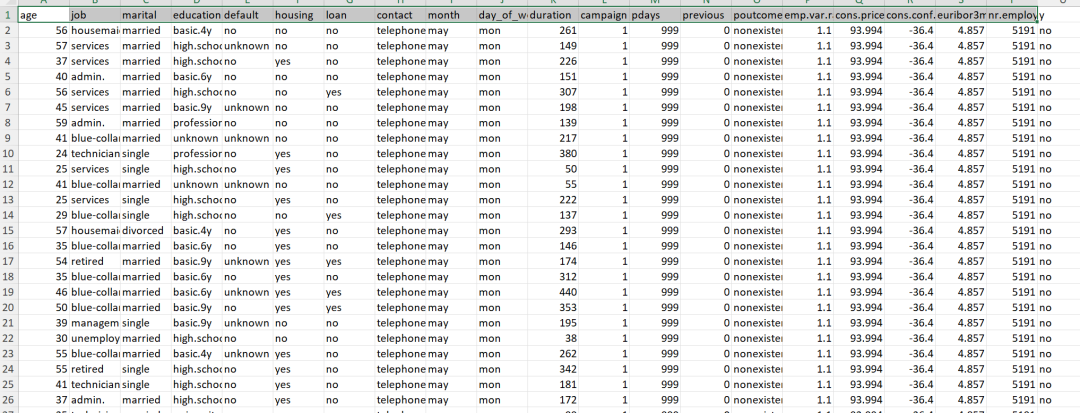
This Excel file has more than 41,000 rows and 21 columns, so it is not a tiny spreadsheet:
Even so, Qwen-3.6-35B through iFlytek SparkDesk MaaS generated the result after a short wait:
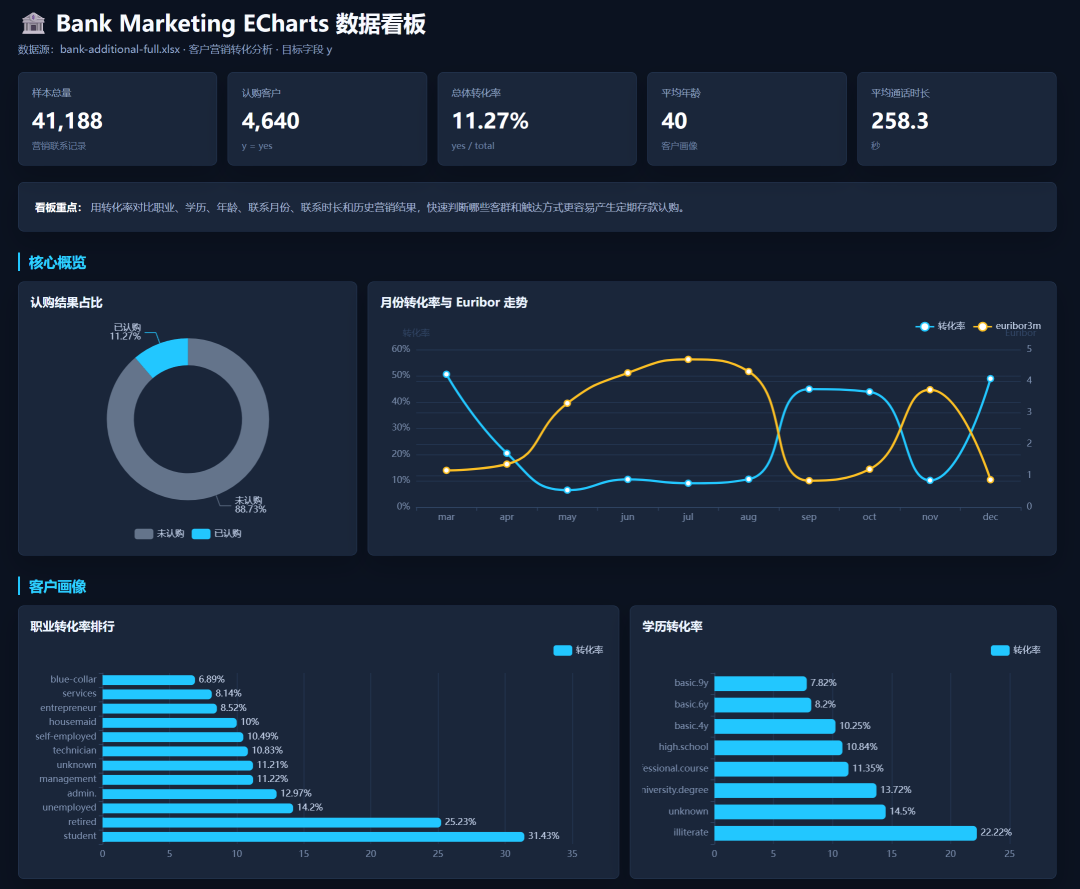
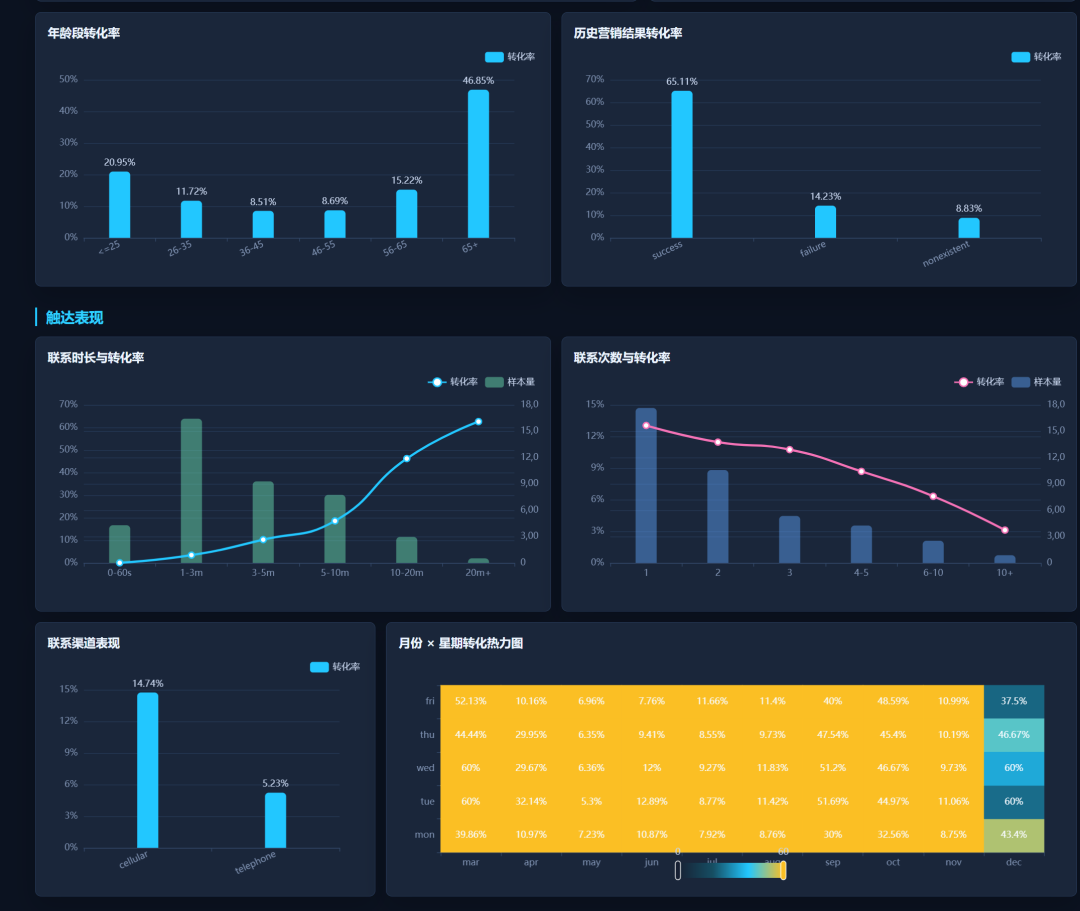
Overall, the dashboard result is impressive. Apart from the final chart, where the colors are a little muddy, the rest works well.
This used to be the type of work that required paid agent tokens. Now it can run smoothly with the free API quota from iFlytek SparkDesk MaaS.
Summary
For complex coding and data-analysis tasks, I suggest using the 35B model while it is free.
For simple daily conversations, use the smaller 2B model, which can remain free for much longer.
Together, this gives you a near-zero-cost, high-output personal AI workflow.
The 35B model is strong enough to be worth using, and the current free month is genuinely useful. If you need this workflow, register early, get a key, and apply for higher concurrency while the promotion is still active.
This English edition preserves the screenshots and workflow order from the original Chinese article.